
Product Coming soon

Audit Studio

A web platform that guides you through the entire TTR-2026 audit process — from scope qualification to a board-ready report. Built-in scoring, Business Impact Indicators, and integrations with your stack.
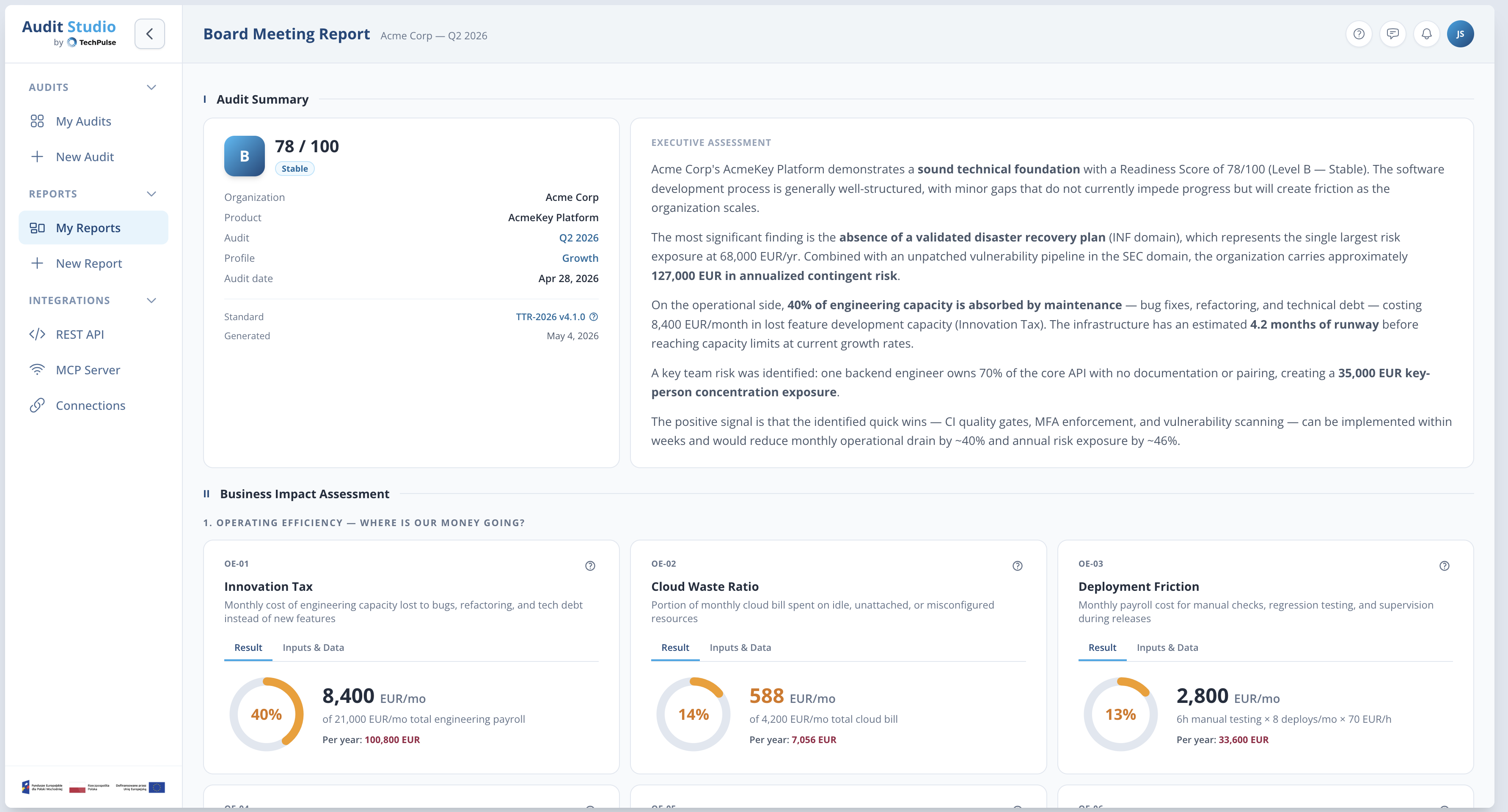
Audit Studio — Board Meeting Report
01 How it works

Four steps to a board-ready report.

Audit Studio walks you through the full TTR-2026 procedure. Each step unlocks the next — so you always know where you are and what comes next.

Step 1
Set up your audit

Name the project, select the audit profile (Enterprise, Rescue, Growth, or Launch) and define which domains to assess. The platform loads the correct Weights Matrix automatically.
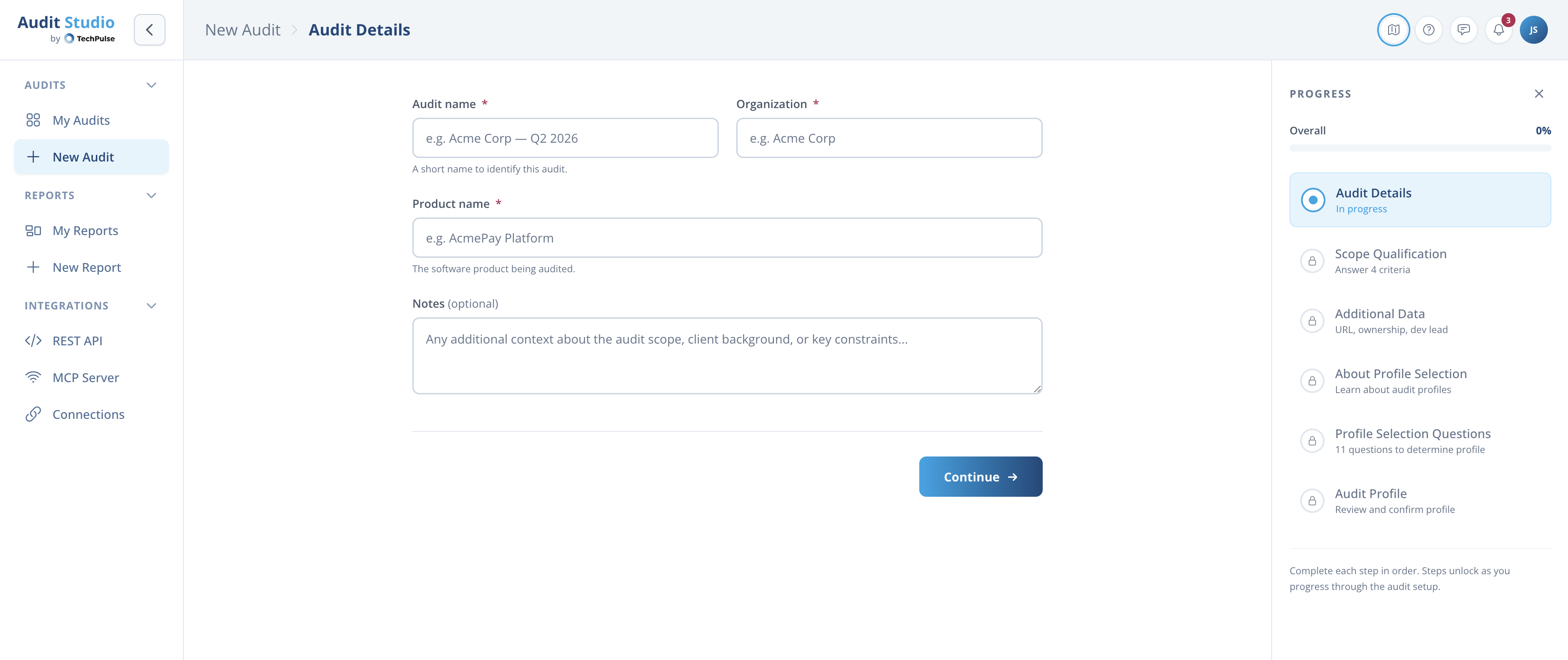
New Audit setup
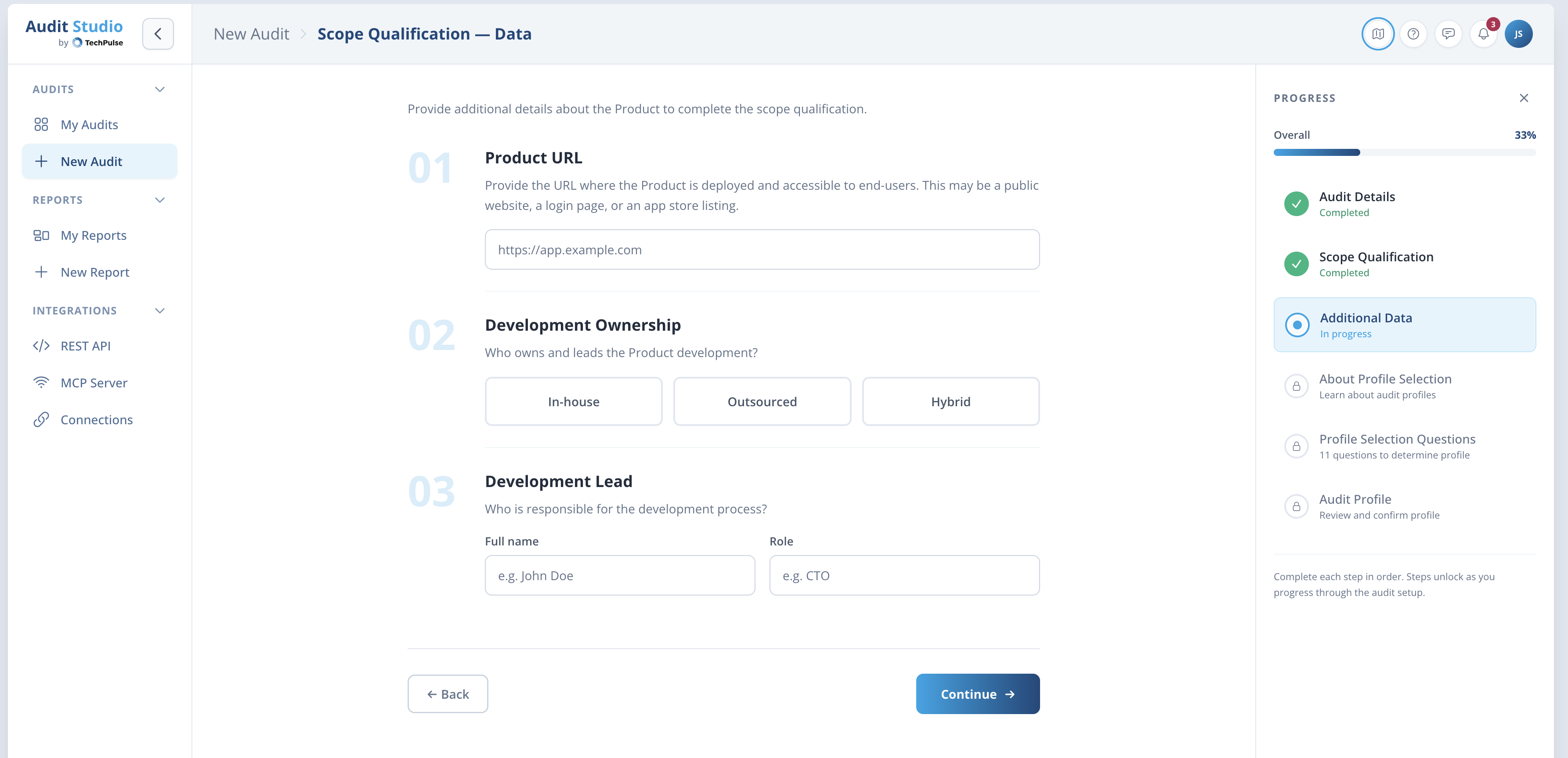
Scope Qualification
Step 2
Qualify & collect data

The platform guides you through scope qualification and additional data collection. Product URL, development model, team structure — all captured in a structured flow with progress tracking.

Step 3
Assess Control Points

Work through each domain’s Control Points at your own pace. Mark compliant or non-compliant, attach evidence, and see Business Impact Indicators calculated in real-time. Readiness Blockers are flagged automatically.
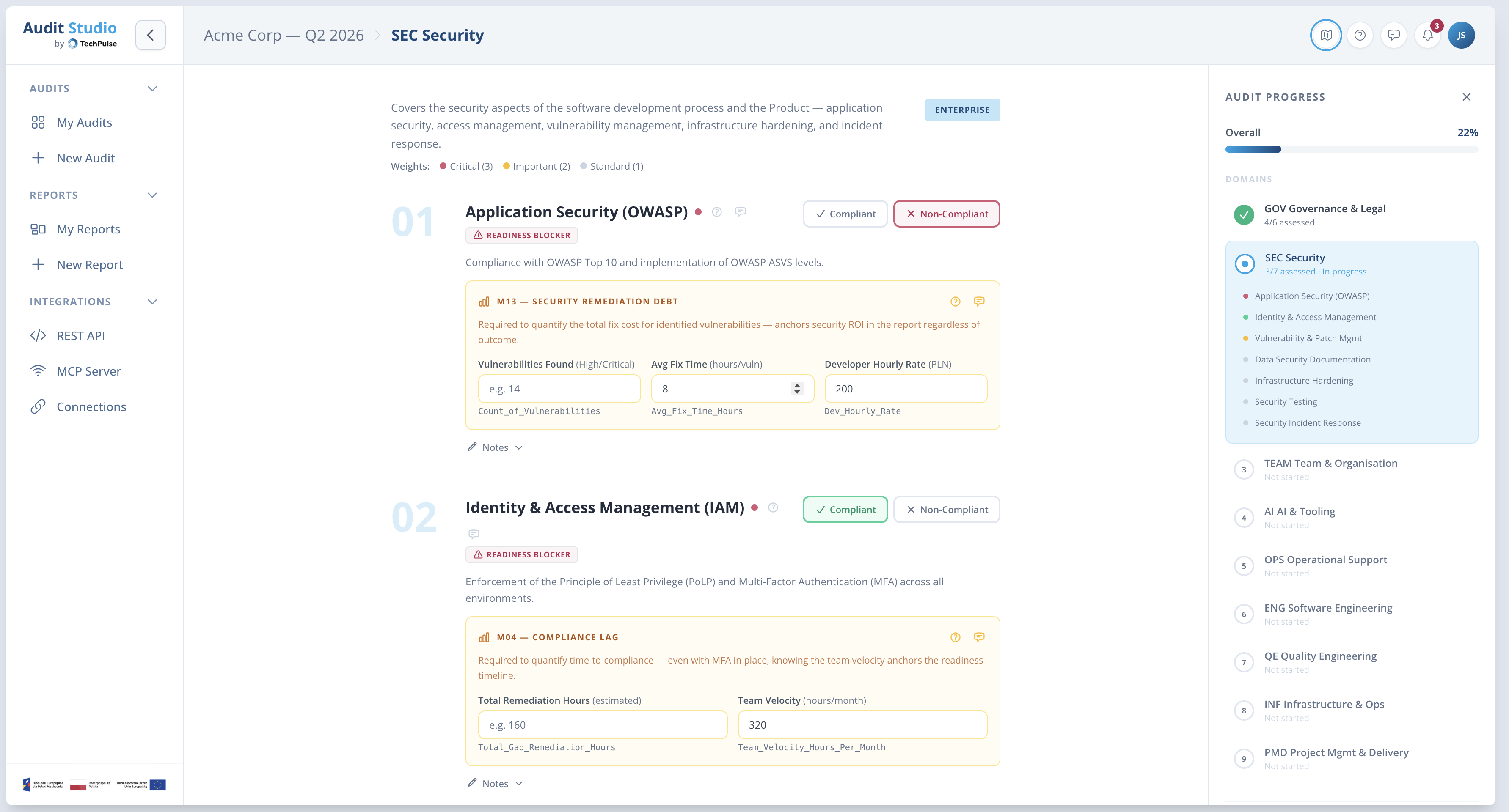
Control Point assessment
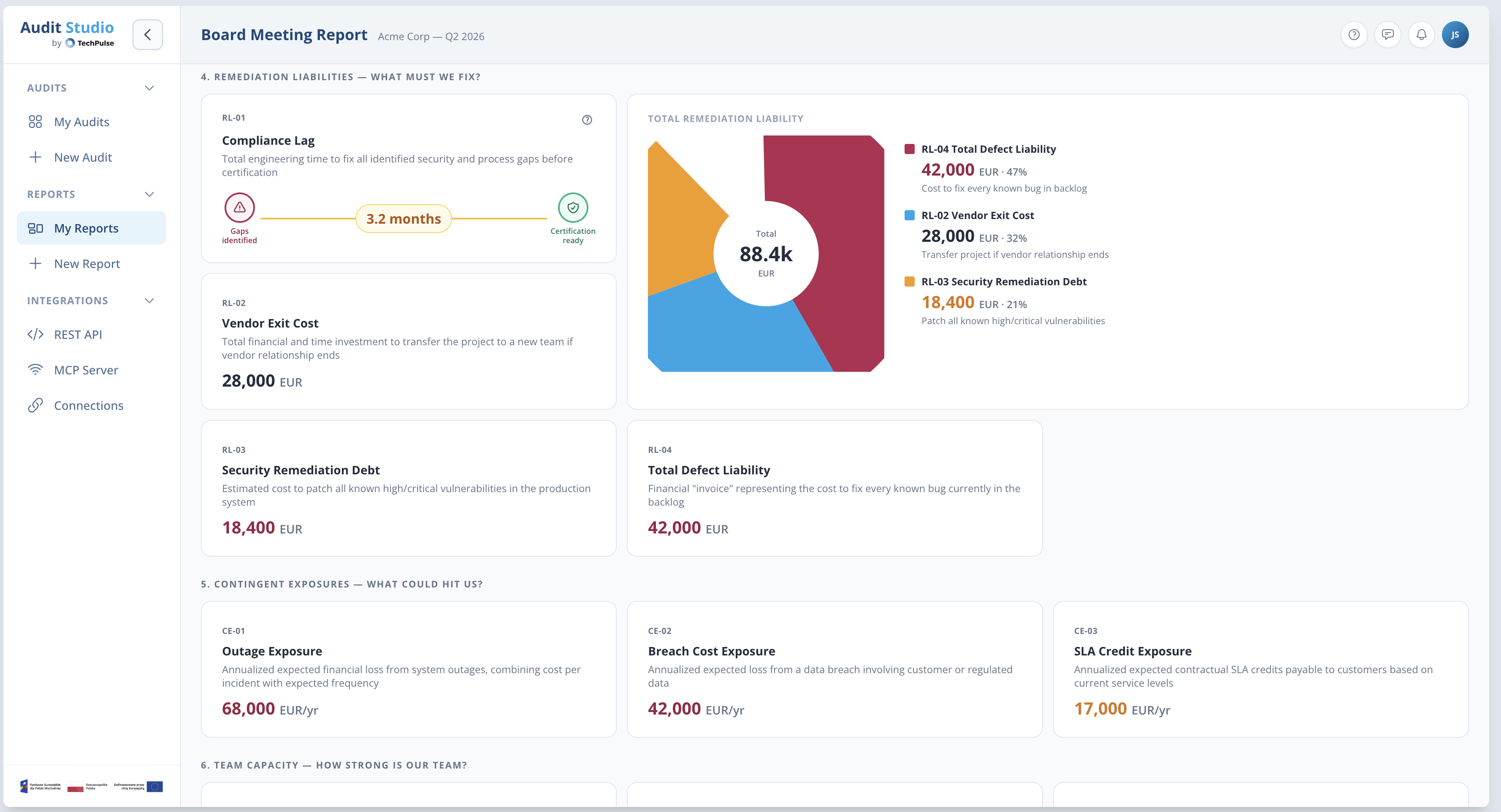
Business Impact report
Step 4
Generate the report

Export a complete TTR-2026 audit report — Audit Summary, Business Impact Assessment with all 29 BII indicators, Remediation Roadmap, and Evidence appendix. Ready for stakeholders, compliance, and strategic planning.

02 Features

Built for auditors and engineering leaders.

Guided flow
Step-by-step audit wizard

Progress tracking, step unlocking, validation — the platform ensures you follow the TTR-2026 procedure correctly.

Scoring
Auto-calculated scores

Domain scores, global Readiness Score, and A–F Level computed in real-time as you assess Control Points.

Business impact
29 BII indicators

Every finding automatically translated into cost, time, capacity, and exposure. Across 7 categories a CFO can act on.

Reports
Board-ready output

Generate the full 4-component TTR-2026 report. Audit Summary, BIA, Remediation Roadmap, and Evidence appendix.

Integrations
REST API & MCP Server

Connect to your stack via REST API. MCP server enables AI agents to interact with audit data programmatically.

Collaboration
Multi-user & multi-audit

Invite team members, run multiple audits in parallel, compare results cycle over cycle. Track progress over time.

03 AI-assisted auditing

Your AI co-pilot for the entire audit.

Audit Studio connects to LLMs through the Model Context Protocol (MCP). A dedicated set of skills and TTR-2026 context guides you through every step of the audit — from scoping to final report.

How it works
01
Connect your LLM. Audit Studio exposes an MCP server that any compatible AI client can connect to — Claude, GPT, or your own agent.
02
Loaded with TTR-2026 context. The AI has full access to the standard, your audit profile, weights matrix, and all domain definitions. It knows the methodology inside out.
03
Dedicated skill set. Purpose-built tools for scope qualification, Control Point assessment, evidence evaluation, BII calculation, and report generation.
04
You stay in control. The AI suggests, explains, and drafts. You review, approve, and decide. Every assessment decision is yours.
What the AI co-pilot can do
Walk you through each Control Point — explain what it means, what evidence to look for, and what "compliant" looks like
Analyze your codebase and infrastructure — connect to repos, CI/CD, cloud configs to gather evidence automatically
Draft findings and recommendations — generate assessment notes based on evidence, ready for your review
Explain business impact — translate technical findings into BII indicators a CFO can understand
Generate the remediation roadmap — prioritize fixes by business impact, estimate effort, and suggest quick wins
Answer questions about TTR-2026 — methodology, scoring logic, domain definitions, profile differences — on demand
MCP-native. Bring your own AI.

Audit Studio implements the Model Context Protocol — an open standard for connecting AI models to tools and data. Use it with Claude Desktop, your own AI agent, or any MCP-compatible client. The audit context and skills work the same way regardless of which LLM you choose.
04 Inside the platform

See it in action.

Dashboard welcome
Dashboard — quick access to all your audits and reports.
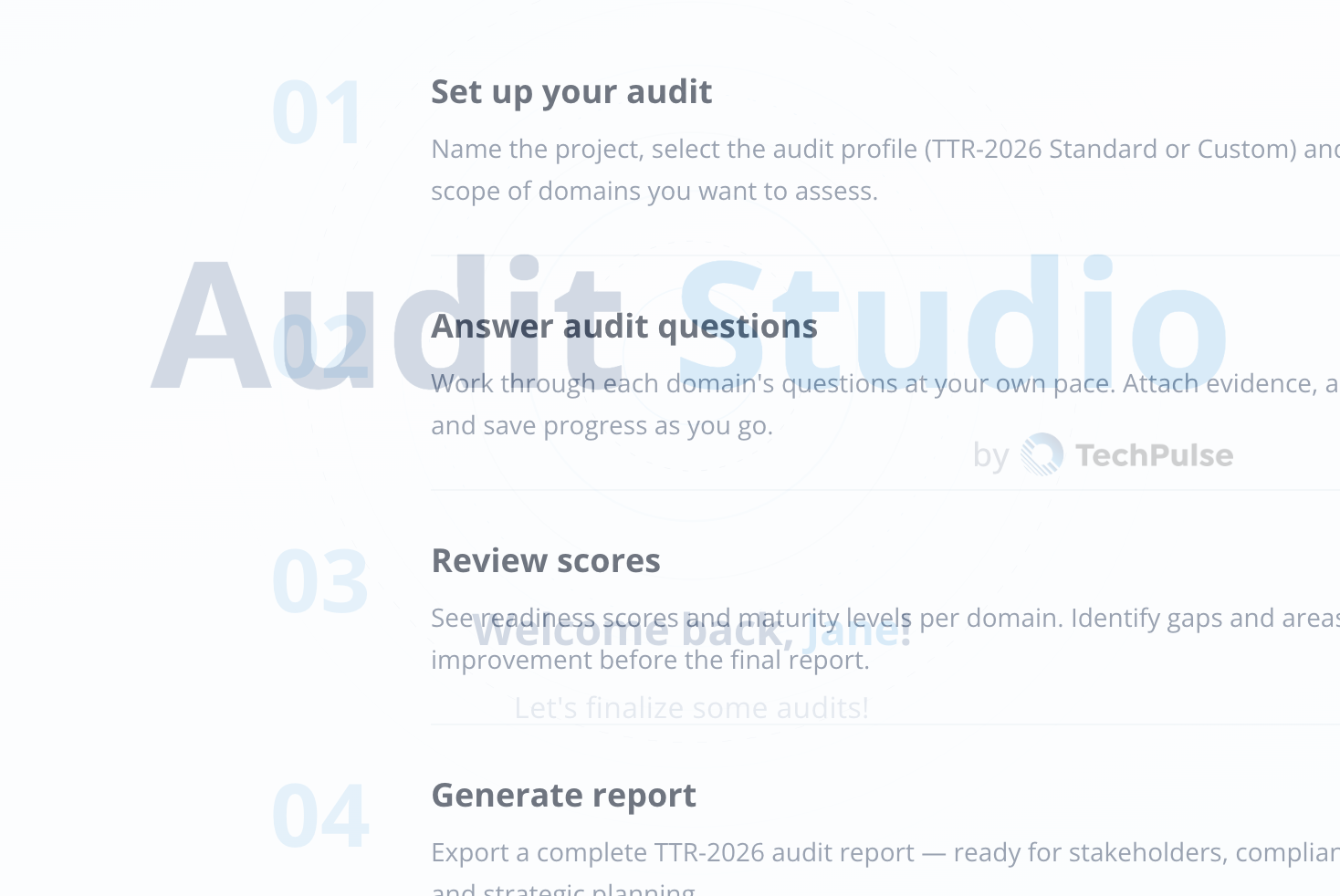
Audit steps overview
Guided 4-step process — set up, answer, review, generate.
Control Point assessment with BII
Control Point assessment with inline BII calculation and blocker alerts.
Remediation Liability report
Business Impact dashboard — remediation liability and cost exposure.

Be the first to try Audit Studio.

We’re building the platform right now. Join the waitlist and get early access when we launch.

Projekt dofinansowany z Funduszy Europejskich