
Everything you need to run a structured TTR-2026 self-assessment in-house. Scoring workbooks, evidence checklists, report templates and the full Weights Matrix — no platform required.
Ideal for CTOs, VP Engineering or technical founders who want to assess their software development process using the TTR-2026 methodology before engaging a full audit. You get the same structure, the same scoring logic, the same output format — just self-administered.
Get a clear picture of where you stand before deciding if you need a full external audit or consulting engagement.
Proactively identify and fix blockers before due diligence begins. Walk into investor meetings with a defensible tech readiness score.
Run the assessment every quarter to track progress. Same methodology, same weights — your Q2 score is comparable to Q1.
Each template implements a specific part of the TTR-2026 audit procedure. Together they cover the full process from scope qualification to final report.
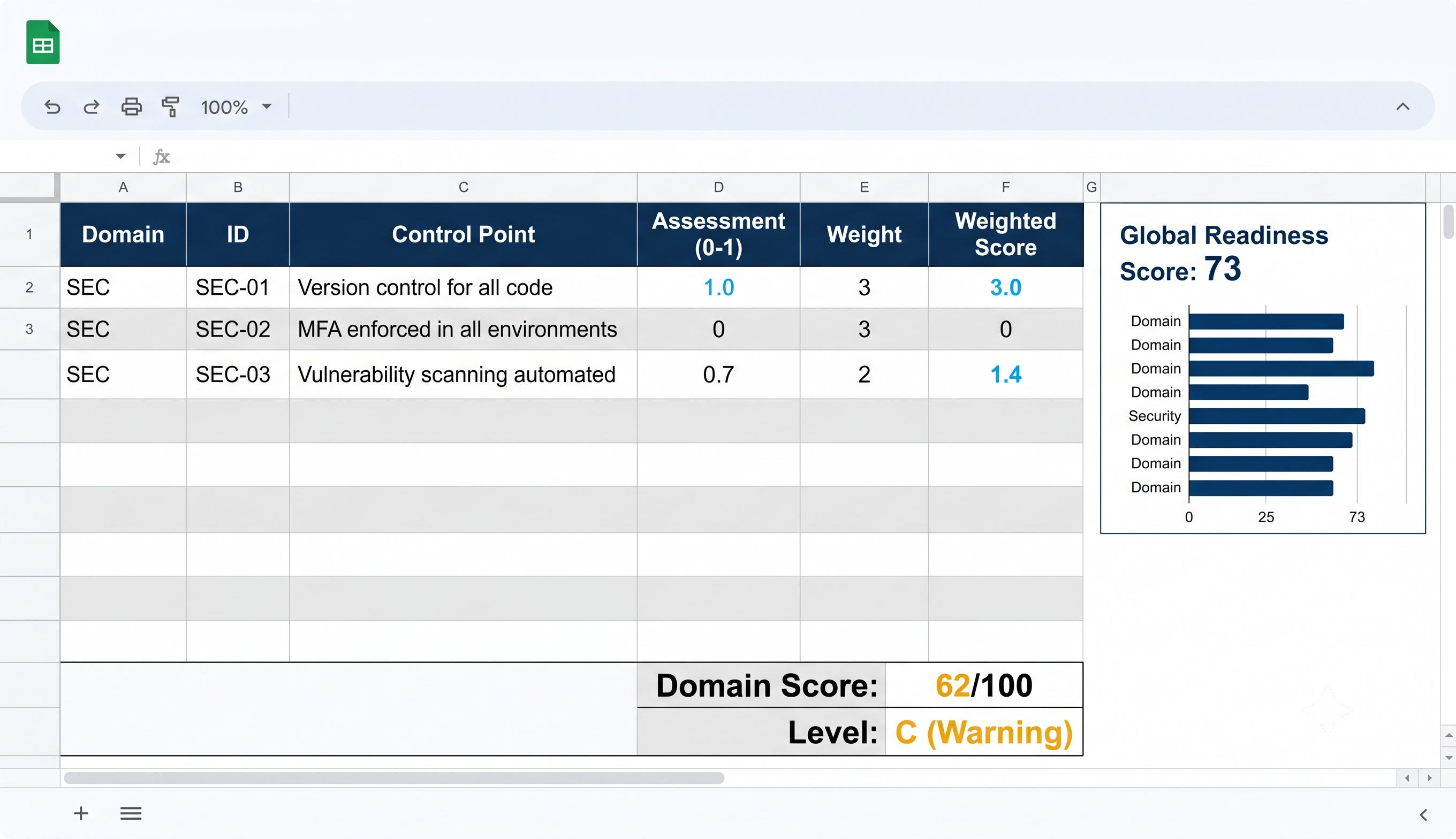
A spreadsheet with all Control Points across 9 domains. Score each point (0–1), and the workbook automatically calculates domain scores, global Readiness Score, and Readiness Level using built-in formulas.
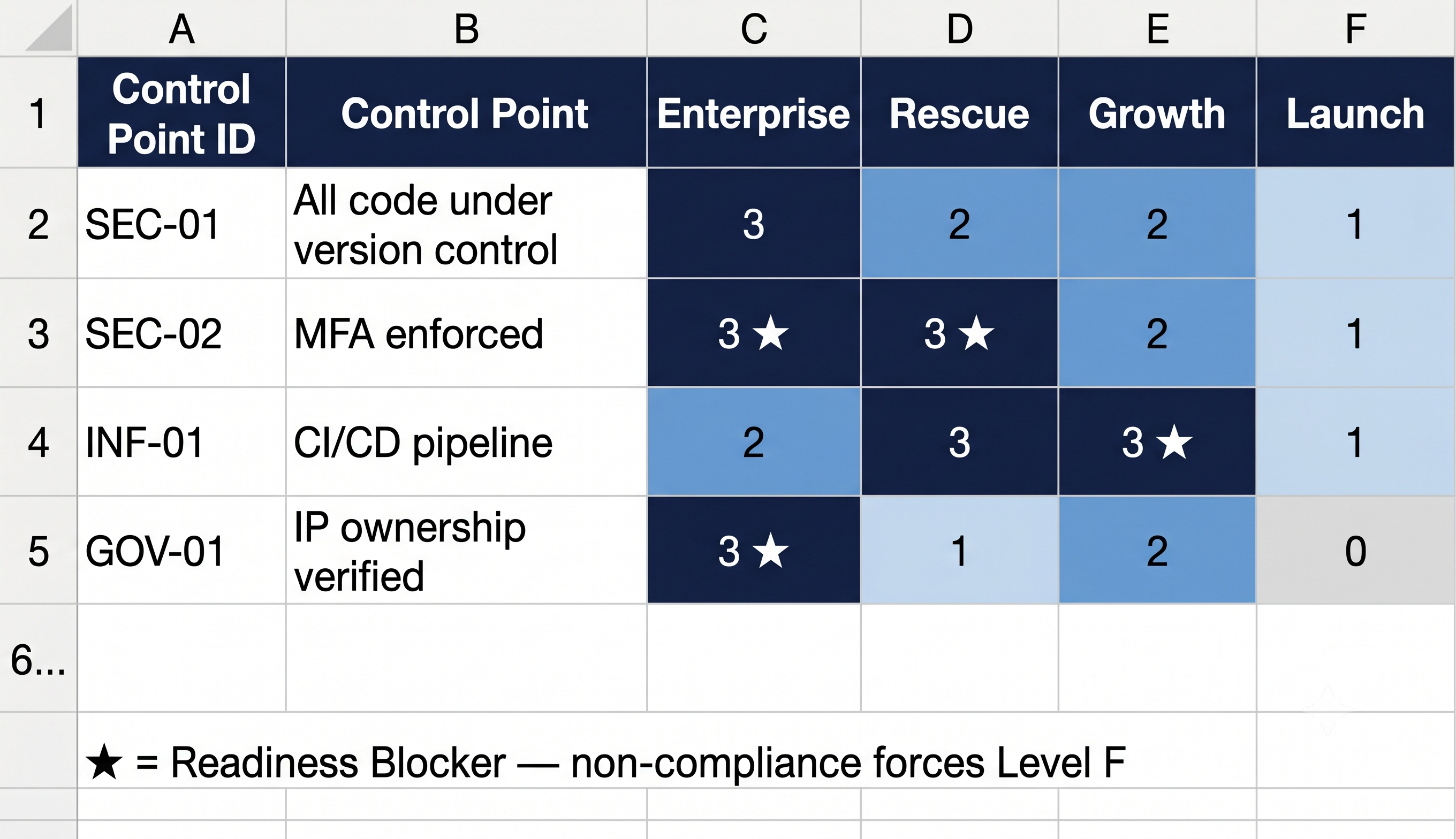
The complete matrix defining the importance (0–3) of every Control Point for each of the four Audit Profiles: Enterprise, Rescue, Growth, Launch. Includes Readiness Blocker designations.
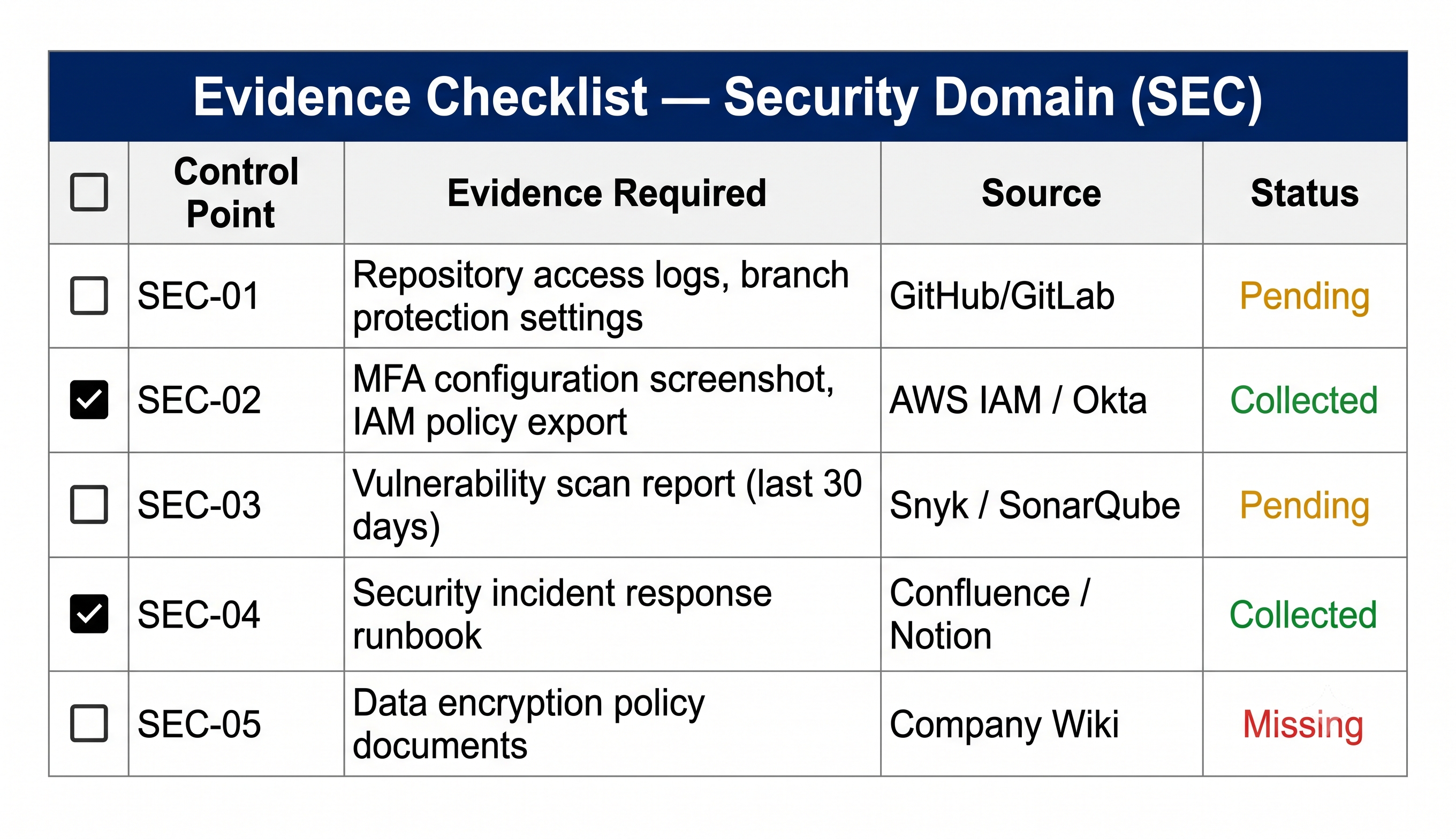
A per-domain checklist of what evidence to collect for each Control Point — repo links, screenshots, config exports, interview notes. Ensures nothing gets missed during assessment.
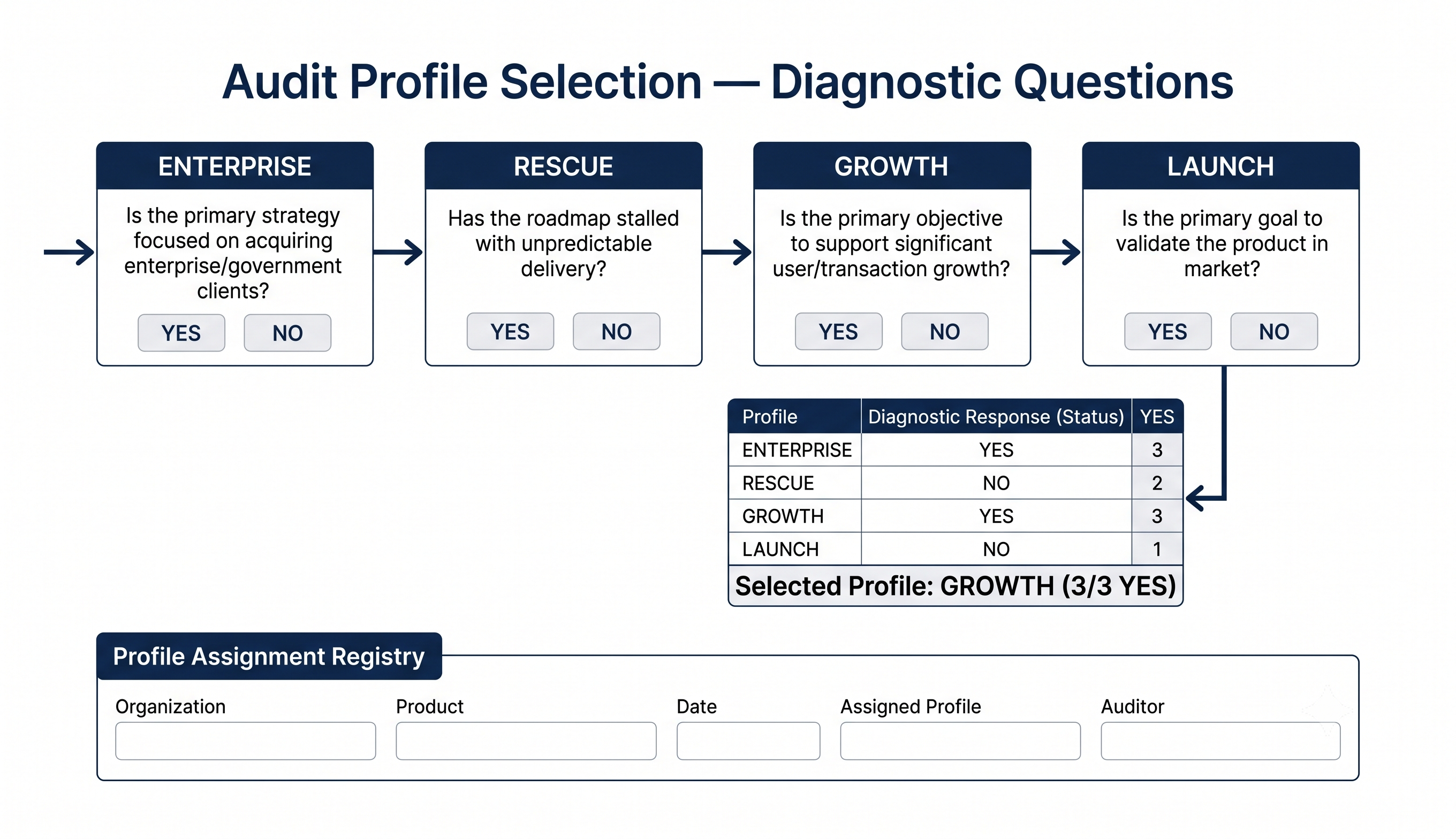
Diagnostic questions and scoring algorithm to determine the right Audit Profile for your organization. Includes the decision tree and profile assignment registry.
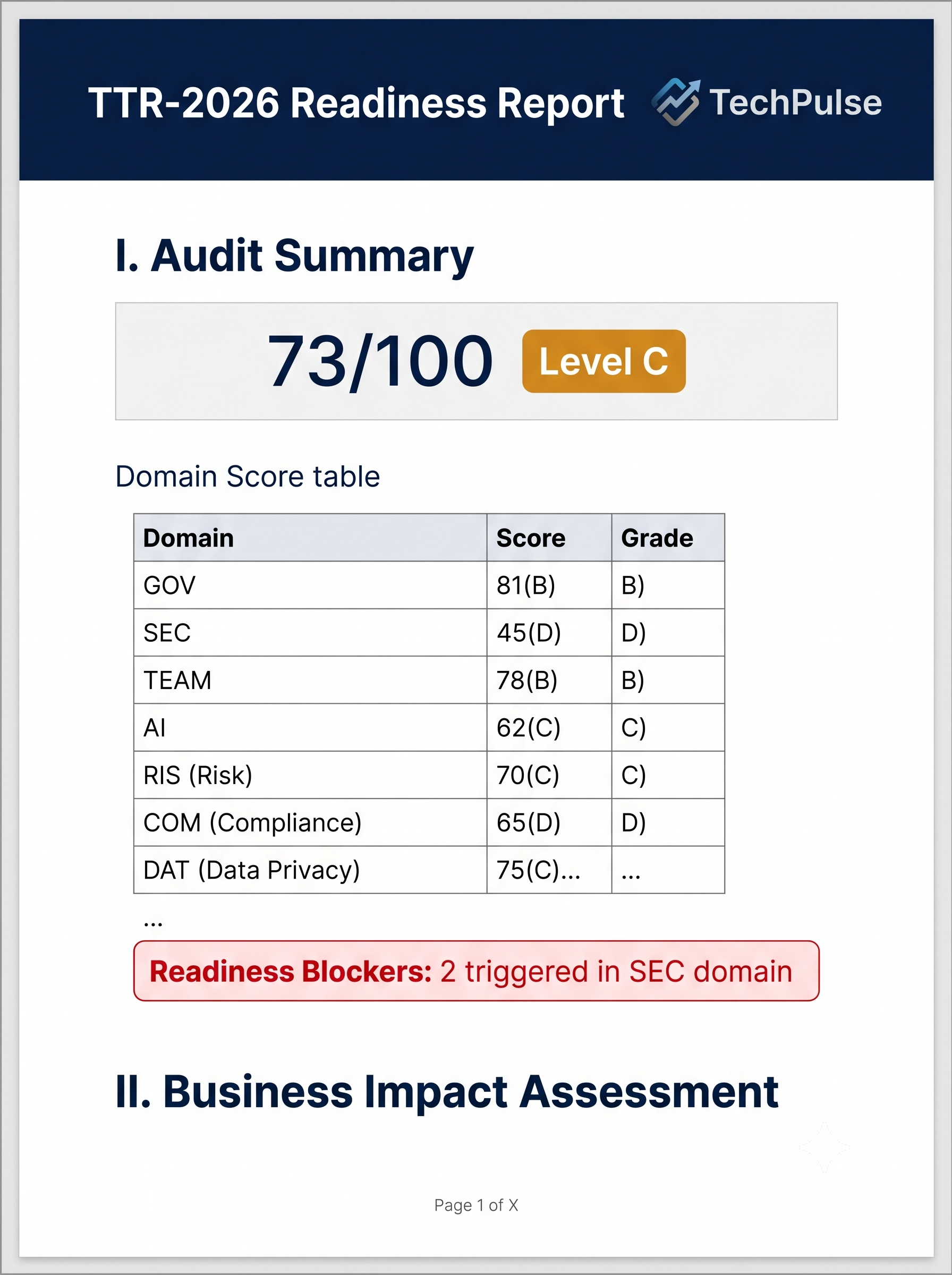
A pre-structured document covering all four mandatory output components: Audit Summary, Business Impact Assessment, Remediation Roadmap, and Audit Evidence appendix.
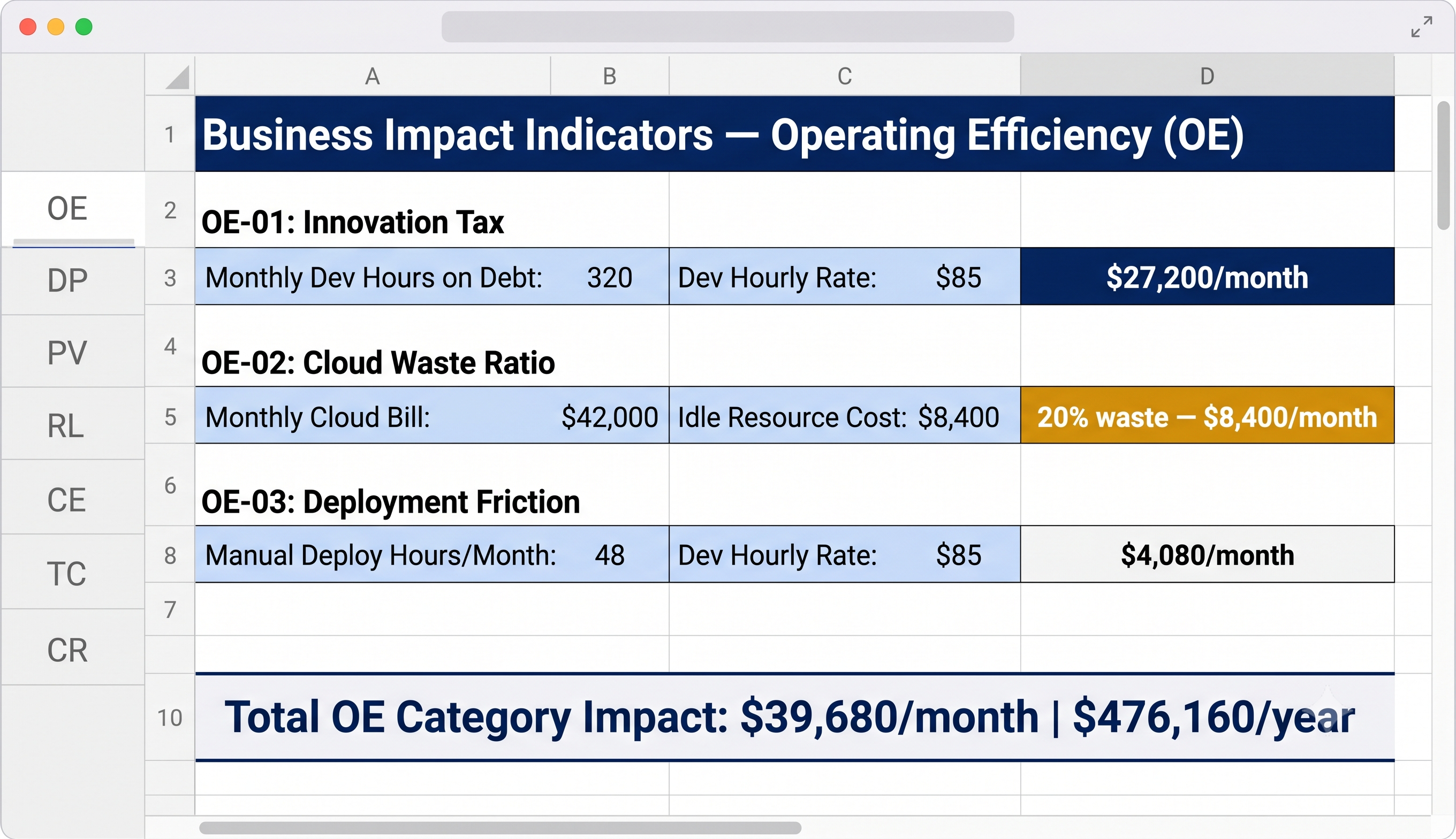
Spreadsheet with formulas for all 29 Business Impact Indicators across 7 categories. Input your data, get quantified business impact — cost, time, capacity, exposure.
Use the Profile Selection Guide to answer the diagnostic questions and determine your Audit Profile.
Walk through the Evidence Checklist domain by domain. Gather repos, configs, screenshots, interview notes.
Enter assessments in the Scoring Workbook. The Weights Matrix and formulas do the rest — domain scores, global score, level.
Fill in the Report Template with your findings. Use the BII Calculator to translate technical gaps into business numbers.
Get the full template kit and run your first self-assessment this week. Same methodology TTR Certified Auditors apply in registered audits.
One-time payment · Instant delivery · Google Sheets + Excel + DOCX